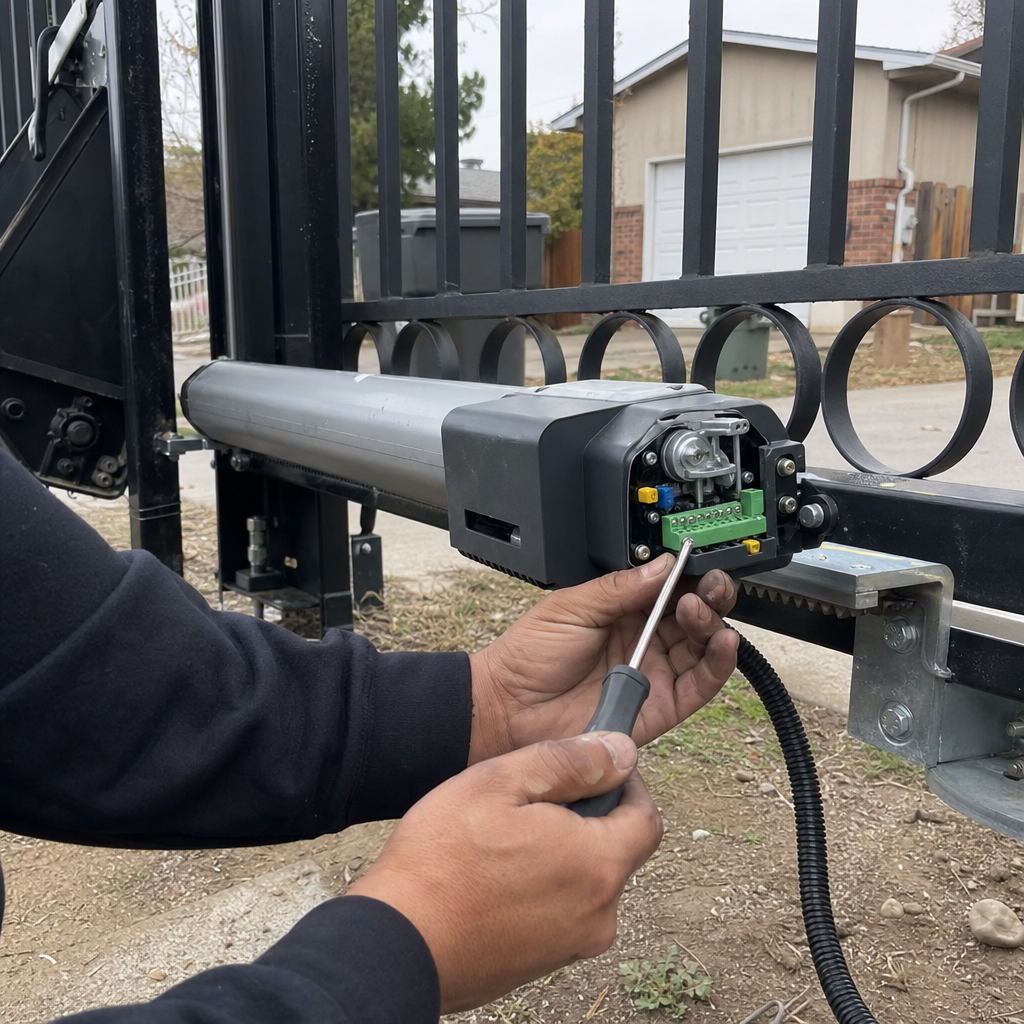
How to Reset an Automatic Gate in Ancho Cordova: Three Methods to Get Your Gate Moving Again
Resetting an automatic gate in Ancho Cordova typically involves one of three distinct procedures: a simple power cycle to clear temporary glitches, a fault code reset for specific error states, or a full factory/limit reset that reprograms travel endpoints. Attempting the wrong reset can erase crucial settings, leaving your gate inoperable and requiring a full recalibration. For instance, a common mistake we see in Ancho Cordova homes is performing a factory reset when only a power cycle was needed, leading to the gate not knowing its open or closed positions. If your gate has required multiple resets in the past month, it’s likely masking a deeper issue that a reset won’t solve; it’s time to call Ampm Gate Repair Services Ancho Cordova at (279) 256-1348 for a professional diagnosis.
Understanding the Three Types of Gate Resets
When your automatic gate in Ancho Cordova acts up, a reset might seem like the quickest fix. However, not all resets are created equal, and confusion between them can create more problems than they solve. We break down the three primary types of resets to help you understand what’s happening with your gate operator.
1. The Power Cycle: Clearing Temporary Glitches
This is the simplest and safest reset. It involves disconnecting power to the gate operator for a short period, usually 30 seconds to a minute, and then reconnecting it. This process can clear temporary electronic glitches or “hiccups” in the control board’s memory, similar to restarting a computer. It’s an excellent first step for minor issues and won’t erase any programmed settings like travel limits or access codes. We often recommend this to homeowners in neighborhoods like Gold River or The Pointe when they report a gate that briefly stopped working.
2. The Fault Code Reset: Addressing Specific Error States
Many modern gate operators have diagnostic systems that trigger specific fault codes when a problem is detected. These codes indicate a particular issue, such as a safety sensor obstruction or a motor overload. A fault code reset specifically targets and clears these logged error states from the control board’s memory. This is different from a power cycle because it addresses a known error condition rather than a general electronic blip. While it won’t wipe your programming, it requires a bit more technical understanding to identify and clear the correct fault code.
3. The Factory/Limit Reset: A Full Reprogramming Event
This is the most drastic reset. A factory or limit reset wipes all user-programmed settings, including travel limits (where the gate stops when opening and closing), force settings, and often access codes or remote controls. This type of reset is typically performed when troubleshooting significant control board issues, or when a complete system reinstallation is necessary. Crucially, after performing a factory/limit reset, you will need to reprogram your gate’s travel endpoints and potentially re-pair your remotes. Forgetting this step is the most common reason a gate becomes completely inoperable after a reset, as it doesn’t know how far to open or close. We’ve seen this happen frequently with older LiftMaster models common in some older Ancho Cordova developments.
Brand-Specific Reset Procedures for Ancho Cordova Gates
While the principles of resetting a gate are similar, the exact button sequences and procedures vary significantly by manufacturer and model. Here are common reset methods for gate operators frequently found in Ancho Cordova homes and HOAs:
LiftMaster LA400/LA500 Series (Power Cycle & Limit Reset)**
* Power Cycle: Simply unplug the operator from the power source, wait 30 seconds, and plug it back in.
* Limit Reset (Requires Reprogramming): For these models, a true “factory reset” isn’t a single button press. Instead, you’ll typically access the control board and manually reset the travel limits. This involves pressing the UP and DOWN limit adjustment buttons to their default positions (often indicated in the manual) and then running the gate through a full open/close cycle to re-establish these limits. Eric King personally guides his technicians through this on jobs in the Carmichael area and throughout Ancho Cordova, emphasizing the need for careful re-calibration.
Viking Gate Operators (Power Cycle & Control Board Reset)**
* Power Cycle: Disconnect power, wait 30 seconds, reconnect.
* Control Board Reset (Specific Models): Some Viking models have a specific procedure for clearing fault codes or resetting certain parameters directly on the control board. This might involve pressing and holding specific buttons for a set duration while power is applied. Always consult the operator’s manual for the exact sequence, as these can differ.
Mighty Mule (Power Cycle & Limit Programming)**
* Power Cycle: Unplug the operator, wait 30 seconds, and plug it back in.
* Limit Programming: Mighty Mule gates typically require you to re-program the open and close limits after any power interruption or reset that affects them. This usually involves a sequence of pressing buttons on the control box to set the desired open and close positions. The process often involves holding down a “limit set” button while manually moving the gate to the desired position.
Important Note: If you’re unsure about the specific model of your gate operator or the correct reset procedure, it’s always best to consult the manufacturer’s manual or call a professional. Attempting an incorrect procedure could damage the control board.
When a Reset Isn’t Enough: Recognizing the Need for Repair
A gate that needs frequent resetting isn’t fixed; it’s merely being temporarily coaxed back to life. If you find yourself performing a reset more than twice in a single month, it’s a strong indicator that there’s an underlying mechanical or electrical issue that a reset can’t resolve. This could be anything from a failing motor, a worn-out capacitor, a short in the wiring, or a problem with the safety sensors.
“A gate that doesn’t work right isn’t a gate — it’s just an expensive inconvenience,” says Eric King, Owner & Lead Technician at Ampm Gate Repair Services Ancho Cordova. “If you’re constantly hitting the reset button, you’re delaying the inevitable and potentially causing more damage. Let’s fix it properly the first time.” Ignoring these persistent issues can lead to more costly repairs down the line or complete system failure.
FAQs About Resetting Automatic Gates in Ancho Cordova
A simple power cycle reset is free, as you can perform it yourself. However, if the issue requires a technician to diagnose and perform a fault code or limit reset, costs in Ancho Cordova can range from $150 to $300 for the service call and initial diagnosis, depending on the complexity of the operator and the extent of the problem—see our Automatic Gate Opener Installation Cost in Ancho Cordova, CA for related pricing. Call (279) 256-1348 for a free estimate.
Yes, you can perform a power cycle reset yourself by unplugging the gate operator, waiting 30 seconds, and plugging it back in. However, for fault code or factory/limit resets, it’s recommended to consult your gate operator’s manual or call a professional like Ampm Gate Repair Services Ancho Cordova for our Gate Motor & Opener services, especially if you’re unfamiliar with the process, to avoid causing further damage.
Performing the wrong type of gate reset, particularly a factory or limit reset when not intended, can erase your gate’s programmed travel limits. This means the gate will no longer know where to stop when opening or closing, potentially causing it to slam into its posts or fail to open or close fully. This situation will require you to re-program all the travel limits and potentially other settings, or check Why Is my Gate Motor Not Working? (Ancho Cordova, CA) for troubleshooting guidance.
You should call a professional if your gate requires frequent resets (more than twice a month), if you’re uncomfortable performing the reset yourself, if the gate doesn’t respond after a reset, or if you suspect a mechanical or electrical issue beyond a simple glitch. Ampm Gate Repair Services Ancho Cordova can diagnose the root cause and perform the correct reset or repair, including advising on Solar Gate Opener vs Electric in Ancho Cordova, CA options. Call us at (279) 256-1348 for immediate assistance.
If your automatic gate in Ancho Cordova is acting up and you’re unsure about the reset process, don’t hesitate to reach out. Ampm Gate Repair Services Ancho Cordova offers a no-pressure assessment to get your gate functioning reliably again. Call us today at (279) 256-1348 for a free estimate and expert advice.
Written by Eric King, Owner & Lead Technician at Ampm Gate Repair Services Ancho Cordova, serving Ancho Cordova, CA.